Secret management
This guide explains how to manage secrets in your appliance's configuration on the Anapaya Console. For example, the AS forwarding key that is used to authenticate the hop field of the SCION path.
Operators can choose between two options for managing secrets: managed or unmanaged. The table below provides an overview of the differences between the two options, while the specific sections explain them in more detail.
| Plaintext accessible to Console? | How are the secrets provisioned to the appliance? | Prerequisites | |
|---|---|---|---|
| Managed | yes | Console takes care of it. | - |
| Unmanaged | no | Operator needs to provision secrets to the appliance out of band of Console. The used secret IDs are then used in Console. | SCION version v0.39 and newer |
Managed secrets in Console
Navigate to secrets to list secrets within your organization.
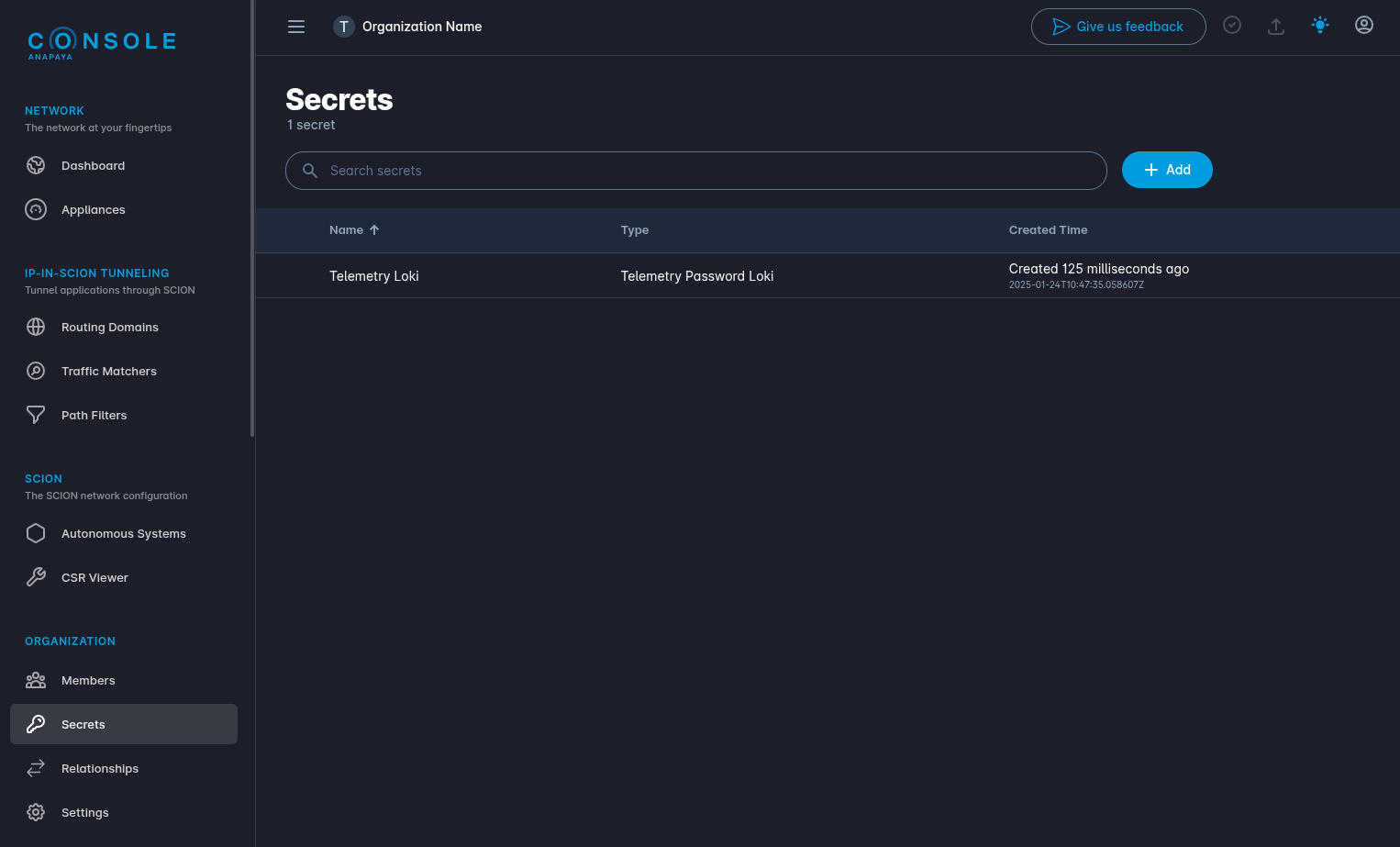
Clicking on a secret displays more details and allows you to reveal the plaintext secret. The details view also includes the secret ID used by Console to provision the appliance. The secret ID is then used within the appliance configuration to reference the underlying plaintext secret. Check out the technical documentation on secret management on the appliance for more information.
To add a new secret, click the "Add" button and provide the following information:
- Name (optional): The name for the secret.
- Description (optional): A brief description of the secret.
- Type: The type describes where in the configuration the secret can be used. E.g. BGP neighbor password.
- Plaintext: The plaintext secret.
Note, managed secrets can currently not be deleted from Console.
Unmanaged secrets (Out-of-Band)
For unmanaged secrets, the secrets must be provisioned to the appliance outside of the console. Before deploying a configuration that references these secrets, ensure the appliance has been provisioned with the corresponding plaintext secrets.
For detailed instructions, refer to the technical documentation on secret management on the appliance.
Prerequisites
Unmanaged secrets are supported only on appliances running v0.39 or newer. For details, see the release notes.
Configuration
When a configuration requires a secret, you can specify it in the input field as follows:
- Managed Secret:
- Select an existing managed secret.
- Create a new managed secret.
- Unmanaged Secret: Enter the secret ID corresponding to the secret provisioned to the appliance.

Special cases
SCION forwarding key
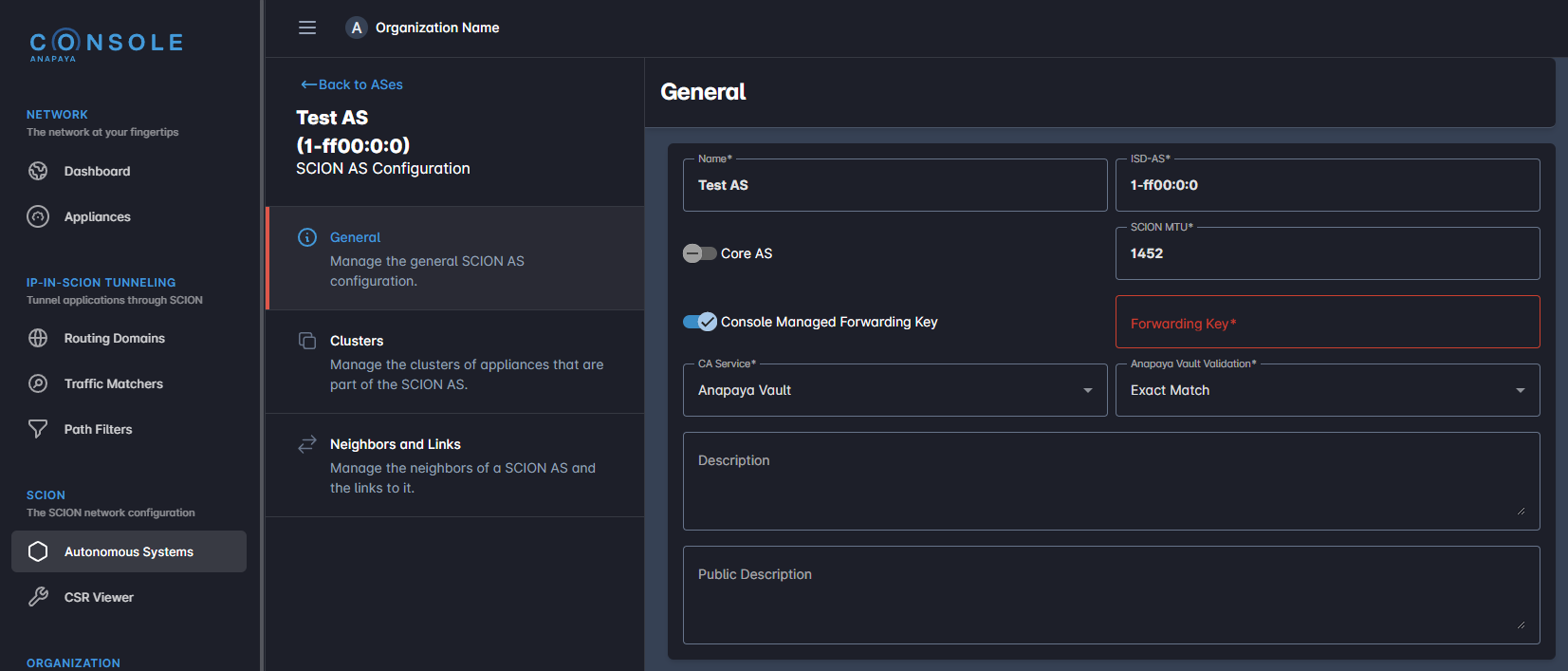
The forwarding key must be identical accross all appliances in an AS. In the AS configuration, you can choose it as managed or unmanaged secret.
-
Managed Secret: Select or create a forwarding key. The same forwarding key will be used for all appliances in the AS.
-
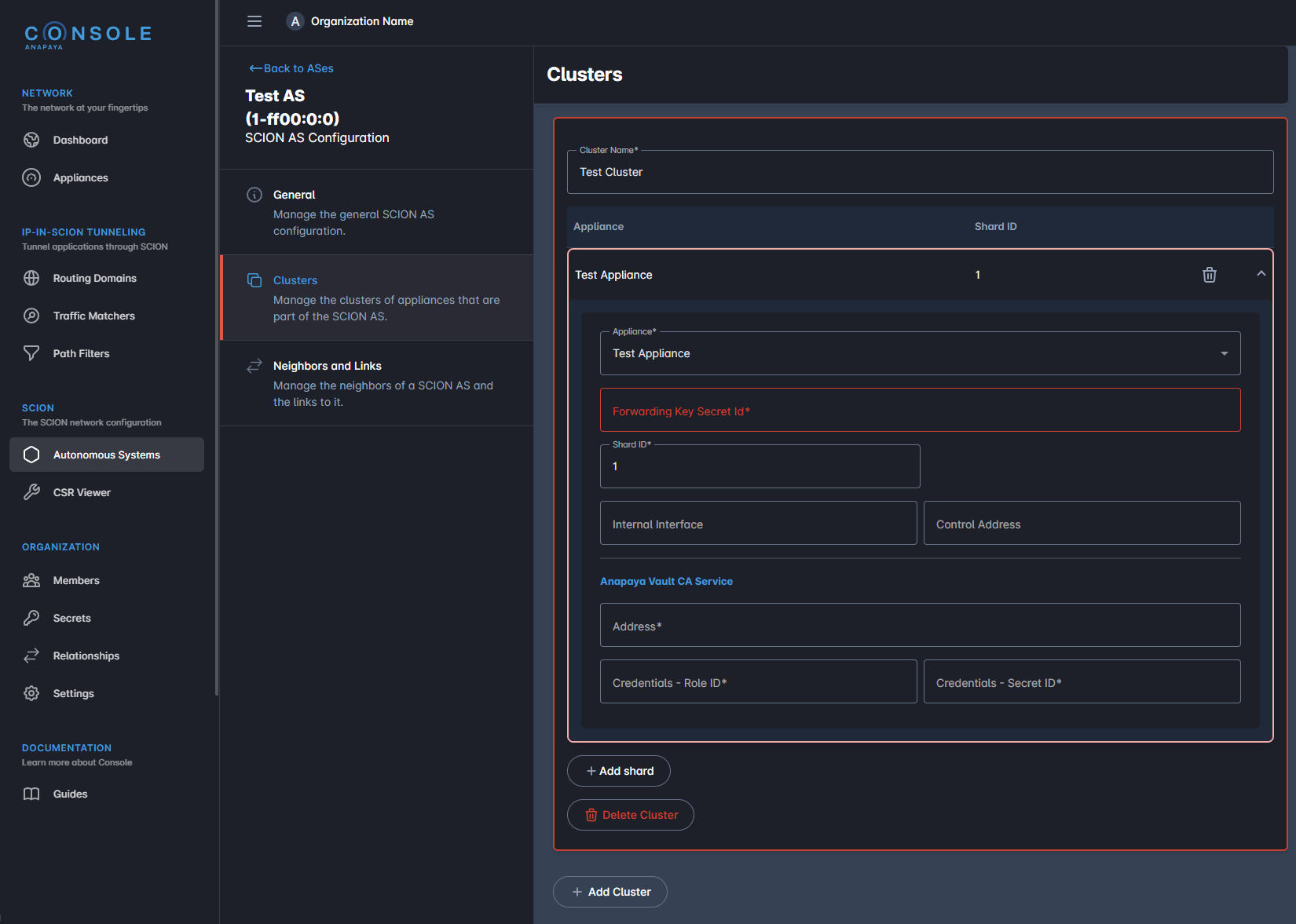
Unmanaged Secret: Provide the secret ID for the forwarding key for each appliance in the AS individually.
Expert configuration
The expert configuration contains sections with secrets (e.g. the Telemetry Loki section).
SCION version < v0.39: Secrets are included as plaintext directly in the configuration.
SCION version >= v0.39: Secret reference fields (e.g. password_ref) are used:
- Managed Secret: Copy the secret ID from the secret management page to the reference field in the configuration.
- Unmanaged Secret: Enter the secret ID of the secret that was provisioned out of band on the appliance.